SEO TITLE: WordPress Developer Audit: 7 Proven Checks for 2026
META DESCRIPTION: A WordPress developer audit finds security holes, dead plugins, and performance drains before they cost you. Run the 7-check audit yourself or hire it done.
FOCUS KEYWORD: wordpress developer audit
How to Audit Your WordPress Development Setup Before Spending More
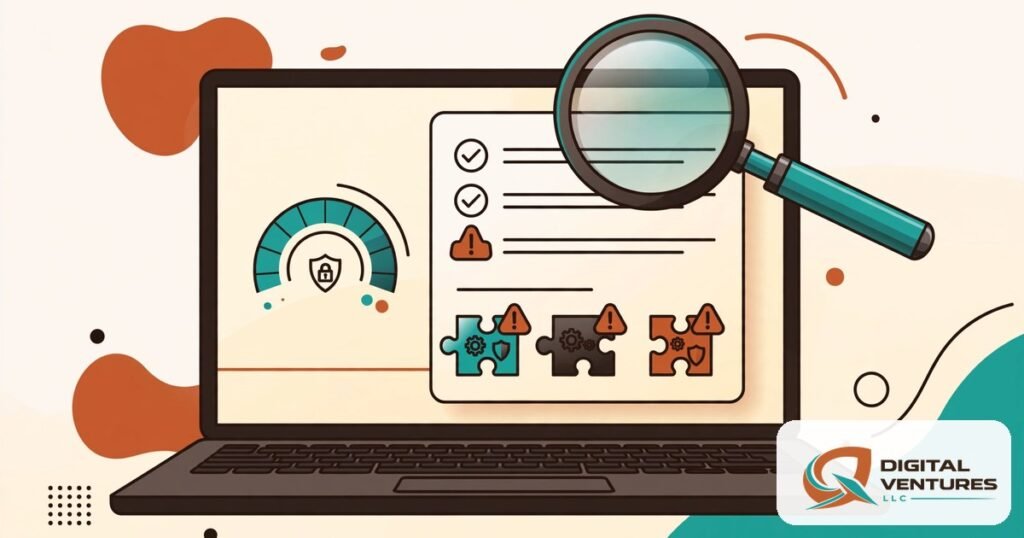
Before you pay a developer to build anything new, find out what is wrong with what you already have. A WordPress developer audit is a structured technical review of your site’s code, plugins, security posture, and performance — and it routinely uncovers problems that make new development unnecessary, or that would sabotage new development if left in place.
This guide walks you through the seven checks of a professional WordPress developer audit: users and access, plugins and themes, core and PHP versions, security hardening, performance, backups, and integrations. Run them yourself in an afternoon, or use this as the acceptance list when you hire the audit done.
Why a WordPress Developer Audit Comes Before New Development
New features built on a compromised foundation inherit the compromise. A WordPress developer audit answers the question every project should start with: is this site healthy enough to build on? The audit finds the abandoned plugin with a known CVE, the admin account belonging to a contractor from 2022, the backup that has never been restore-tested — the issues that turn a $3,000 feature into a $9,000 rescue.
There is also a budgeting reason. A WordPress developer audit typically surfaces 5–15 removable plugins, dead themes, and configuration fixes that improve speed and stability before a line of new code is written. Founders who understand process win the boring wars, and a technical audit is the most boring, highest-ROI work in WordPress (source: blog.mean.ceo). our technical audit process follows these same seven checks and ends with a prioritized fix list — not a sales pitch.
The 7 Checks of a WordPress Developer Audit
Check 1: Users and access — who can do what
Export the full user list, sorted by role, admin first. Every WordPress developer audit starts here because access is the most common overlooked risk. Have the site owner name every admin and editor account; demote anything unrecognized to Subscriber (do not delete — keep the audit trail), force a password reset on all remaining accounts, and enable two-factor authentication for every privileged role. Kill all active sessions after cleanup. Remove default usernames like “admin” (source: gotechwizard.com).
Check 2: Plugins and themes — the attack surface inventory
List every installed plugin and theme with its version and last-updated date. A proper WordPress developer audit treats each one as a liability until proven otherwise: remove the File Manager plugin immediately (use SFTP instead), delete all deactivated plugins — deactivated does not mean gone — and check every remaining plugin against known CVEs via WPScan. Delete all inactive themes, including the defaults. Then identify plugins replaceable with a few lines of code; every removed plugin shrinks the attack surface (source: gotechwizard.com).
Quarterly plugin audits should be routine: list every active plugin, check its update history and ownership signals, and remove anything not actively needed (source: hosting.com).
Check 3: Core, PHP, and file integrity
Confirm WordPress core is on the latest stable release and verify core file integrity (wp core verify-checksums via WP-CLI). Then check the PHP version — this is where many WordPress developer audit reviews find the scariest gap. Anything below PHP 8.x is end-of-life and creates both security and compatibility risk; the newest WordPress branches drop support for old PHP entirely, leaving those sites on security-updates-only branches (source: hosting.com). Upgrading PHP is often the single highest-impact item in the whole audit.
Check 4: Security hardening — beyond “install a plugin”
A WordPress developer audit checks hardening, not just scanning: file editing disabled in wp-config.php, correct file permissions, the WordPress version hidden from generator tags and feeds, login rate-limiting or lockout rules in place, and 2FA enforced. Review whether the host provides a firewall or WAF and complement it with a security plugin — but do not stack five overlapping security plugins, which become their own problem (source: blog.mean.ceo). Monitor wp-config.php for unauthorized changes; that file catching a modification is often the earliest sign of compromise (source: hosting.com).
Check 5: Performance — measure the plugin tax
Run PageSpeed Insights on your key pages and record Core Web Vitals. Then measure what your plugin stack actually costs: deactivate all plugins temporarily (keeping only caching), run the speed test, and compare against baseline — the gap is the total performance tax of your plugins. Reactivate one by one to find the worst offenders. A field-tested WordPress developer audit also checks the theme weight (heavy themes add 400KB+ of CSS/JS; lightweight ones add under 80KB), image formats (WebP/AVIF, lazy-loading, correct sizing), and whether a page builder is loading its assets on pages that do not use it (source: github.com/gnsaved/wp-performance-checklist).
Check 6: Backups and restore — tested, not assumed
Confirm automated backups exist, are stored off-site (not on the same server as the site), and have a stated retention policy. Then the critical part of this WordPress developer audit check: has anyone actually restored from a backup end-to-end? Just having backups is not enough — an untested restore plan is a hope, not a recovery strategy (source: hosting.com). Run a restore test on staging at least twice a year and record the date. Note the last successful restore test in your audit document.
Check 7: Integrations, content, and clutter
Document third-party connections (forms, CRM, payments, analytics), then clean house: delete unused themes and plugins, remove old drafts and spam comments, compress new images, fix broken links, and verify meta descriptions and alt text on key pages. SpiralCompute’s maintenance checklist puts this cleanup alongside the security and performance work because clutter is not cosmetic — abandoned components are unmaintained attack surface (source: spiralcompute.co.nz). Finish by testing every form and checkout path on a real phone.
DIY or Professional: Who Should Run the WordPress Developer Audit
A site owner can run a credible WordPress developer audit in one focused afternoon using free tools: the plugin inventory, user review, PageSpeed tests, and backup check need no special skills — just method. The founder-friendly version is a simple list: every plugin and theme marked active/inactive/needed/unknown, update status, admin users reviewed, 2FA on, backups tested, login protections checked (source: blog.mean.ceo).
Hire a professional WordPress developer audit when the site earns revenue, runs WooCommerce or memberships, has custom code, or has ever been compromised. A professional adds staging-based testing, database analysis, file-integrity verification, and a prioritized remediation plan with effort estimates. If you book a technical site audit with us, you get exactly that: the seven checks above, documented, with fixes ranked by risk.
Turning Audit Findings Into a Development Plan
The output of your WordPress developer audit is a three-column list: critical (fix this week — security holes, broken backups, EOL PHP), important (fix this month — plugin debt, performance drains, dead integrations), and nice-to-have (next quarter — cleanup, minor UX). Hand that list to any developer and ask for itemized quotes per column. You will immediately see who read it.
Use the audit to decide the project type: remediation (fix the foundation, no new features), targeted build (foundation is sound, add the feature), or rebuild (the foundation is not worth saving). A WordPress developer audit that recommends a rebuild is not a failure — it is the audit doing its job, saving you from building on rot.
FAQ
How often should I run a WordPress developer audit?
Run a full WordPress developer audit annually, plus a light quarterly pass: plugin inventory, update status, user review, and backup-restore test. Run the full audit immediately before any major development project and after any security incident.
What does a WordPress developer audit cost?
A professional WordPress developer audit typically costs $300–$1,500 for a small business site, depending on size, custom code, and ecommerce. DIY costs an afternoon. Either way it is cheaper than building new features on an unhealthy site.
Can a WordPress developer audit find hacked files?
Yes — file-integrity checks (comparing core files against official checksums), malware scans, and wp-config.php change monitoring are standard parts of a WordPress developer audit. If the site was previously compromised, the audit should also review all admin accounts and force credential rotation.
What is the difference between a developer audit and a maintenance plan?
A WordPress developer audit is a point-in-time diagnosis: seven checks, documented findings, prioritized fixes. A maintenance plan is ongoing care: updates, monitoring, backups, and support month after month. The audit tells you what is wrong; the maintenance plan keeps it from going wrong again.
Conclusion
A WordPress developer audit is the cheapest high-leverage step before any development spending: seven checks covering access, plugins, core and PHP, hardening, performance, backups, and integrations. Most sites fail two or three of them — and fixing those failures first is what makes every dollar of subsequent development actually stick.
Audit before you build. Your WordPress developer audit is the difference between development that compounds and development that collapses.
Book a real consultation — request a free SEO or website audit at Qamar Digital Ventures LLC and get a professional WordPress developer audit with prioritized fixes. We will tell you what is actually wrong before we quote a single hour of development.
Internal Link Suggestions
- Link “WordPress development services” → /wordpress-development/
- Link “our technical audit process” → /wordpress-development/
- Link “book a technical site audit” → /wordpress-development/
- Sibling guide opportunity: “What Does WordPress Development Cost? Scope, Budget and Hidden Tradeoffs”
- Sibling guide opportunity: “How to Choose a WordPress Development Provider: 12 Questions to Ask”
Sources
- https://hosting.com/blog/wordpress-plugin-security-how-to-pick-audit-safely/
- https://gotechwizard.com/wp-content/uploads/2026/05/wordpress-audit-checklist-gotechtwizard.pdf
- https://www.spiralcompute.co.nz/year-end-wordpress-maintenance-checklist-optimise-your-site-for-2026/
- https://blog.mean.ceo/wordpress-security-news-september-2026/
- https://github.com/gnsaved/wp-performance-checklist