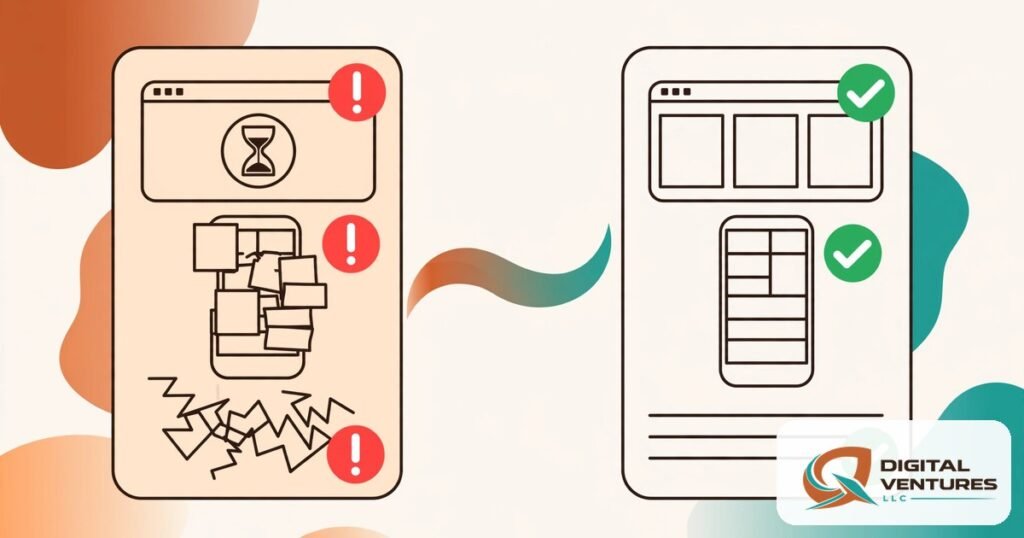
SEO TITLE: wordpress web design mistakes: 9 best proven tips
META DESCRIPTION: wordpress web design mistakes in 2026: the 9 most common budget-wasting errors US small businesses make — and exactly how to avoid each one.
FOCUS KEYWORD: wordpress web design mistakes
Common WordPress Web Design Mistakes That Waste Budget (and How to Avoid Them)
Most wordpress web design mistakes do not look like mistakes at the time. They look like saving money, moving fast, or trusting the demo. Then the site launches, the leads do not come, the phone does not ring — and the owner discovers the “bargain” build needs a rebuild. This guide covers the nine wordpress web design mistakes that waste the most budget for US small businesses in 2026, why each one costs more than it saves, and exactly how to avoid it.
Every one of these wordpress web design mistakes is avoidable with a little planning. Read this before you sign a contract or approve a homepage mockup, and you will save yourself the most expensive word in web design: “rebuild.”
1. Choosing Based on Price Alone
The most expensive of all wordpress web design mistakes is optimizing for the lowest quote. The cheapest option routinely skips the fundamentals: SEO structure, mobile optimization, page speed, and security. You get a site that looks acceptable in a screenshot and fails everywhere it matters — search, phones, conversions.
How to avoid it: Compare what is included, not just the number. Ask every bidder the same five questions: Is mobile-first responsive design included? What is the target page-load time? Is on-page SEO (titles, meta descriptions, headings) part of the build? Who owns the site and accounts afterward? What happens after launch? The answers separate real wordpress web design mistakes from real value in about ten minutes.
2. Skipping the Discovery Phase: WordPress Web Design Mistakes in Planning
Projects that jump straight into design without understanding the business produce beautiful sites for the wrong audience. Among wordpress web design mistakes, this one is the quietest — nobody notices until the site is live and converting nobody.
How to avoid it: Insist on a discovery step before any design work: who are your best customers, what do they search for, what action should the site drive, and what do competitors do better? A provider who will not ask these questions is planning to guess. our WordPress web design services start every project with this conversation, because design without strategy is decoration.
3. Ignoring Page Speed Until After Launch
Speed is a ranking factor, a conversion factor, and a trust factor — and it is dramatically cheaper to build in than to fix later. One of the classic wordpress web design mistakes is approving a gorgeous, animation-heavy design and discovering it loads in six seconds on a phone. Fixing it after launch usually means rebuilding templates, re-compressing every image, and reworking the theme — at emergency rates.
How to avoid it: Set a performance budget in the contract: under 2.5 seconds largest contentful paint on mobile is the 2026 standard. Ask how images will be optimized, whether caching is configured, and how many plugins the build needs. Fewer, well-chosen tools beat a plugin for every feature — a bloated plugin stack is one of the most common wordpress web design mistakes in WordPress specifically.
4. No Clear Call to Action
A website without a clear next step is a brochure, not a sales tool. Among wordpress web design mistakes, the missing or buried CTA is the one that costs the most per day — every visitor who leaves without contacting you is a lead you paid to acquire and failed to capture. Vague buttons (“Learn More,” “Click Here”) and contact forms hidden three clicks deep are the usual symptoms.
How to avoid it: Every page gets one primary action, visible without scrolling: call, quote request, booking, or contact form. Test it on your phone. If a stranger cannot figure out how to reach you in five seconds, the CTA is broken — and fixing wordpress web design mistakes like this one takes an afternoon, not a rebuild.
5. Weak or Missing Content
A gorgeous layout with thin, generic text will not rank no matter how good the design looks. Search engines rank pages, not themes — and visitors decide in seconds whether you sound like you know their problem. “Welcome to our website” headlines, stock-photo service descriptions, and 100-word service pages are wordpress web design mistakes that silently cap both traffic and conversions.
How to avoid it: Write (or commission) real content before design is finalized — copy shapes layout, not the other way around. Each service needs its own page with genuine detail: what it includes, who it is for, what it costs to start, and what happens next. Plan the content calendar too: consistent, useful publishing is one of the strongest long-term traffic drivers a small business site can have.
6. Poor Navigation Structure
If visitors cannot find it, it does not exist. Bloated menus with twelve items, clever-but-confusing labels (“Solutions,” “Discover”), and no search function are wordpress web design mistakes that raise bounce rates and kill the pages you most want found — including the money pages that drive revenue.
How to avoid it: Limit the main menu to five to seven items with plain, specific labels. Put the phone number in the header on every page. Add a search bar. Then test the three-click rule with a real person who has never seen the site: can they reach your main service, your pricing, and your contact page quickly?
7. Not Planning for Mobile First
Over 60% of web traffic is mobile, and Google indexes the mobile version of your site. Designing desktop-first and “checking mobile later” is one of the costliest wordpress web design mistakes because mobile problems are structural: tiny tap targets, text that requires pinching, forms that break, and layouts that collapse. Retrofitting mobile onto a desktop design is effectively redesigning twice.
How to avoid it: Review every design mockup on a phone first. Test forms, tap targets, and readability at real phone sizes before approving anything. Responsive is not a feature — in 2026 it is the baseline, and any proposal that lists it as an add-on is a red flag.
8. Neglecting Security and Maintenance Ownership
Launching without a maintenance plan is like buying a car with no oil-change schedule. Outdated plugins become attack entry points, and a hacked site costs far more to clean than maintenance ever costs to prevent. Related wordpress web design mistakes: not knowing who owns the domain, hosting, and admin accounts — some owners discover their “web guy” owns everything and has gone silent.
How to avoid it: Before launch, confirm in writing: you own the domain (registered in your name), the hosting account, and full WordPress admin access. Set up automated off-site backups, keep core/plugins/themes updated on a schedule, and assign someone to own it. A small monthly maintenance routine prevents the emergency that costs ten times more.
9. Treating SEO as an Afterthought
“First we design, then someone does the SEO” is among the most expensive wordpress web design mistakes because SEO is structural: URL structure, heading hierarchy, page speed, mobile usability, internal linking, and schema all get baked in during the build — or retrofitted later at multiples of the cost. A site launched without keyword-mapped pages, proper titles, and meta descriptions starts its search life months behind.
How to avoid it: Map target keywords to pages before design begins. Every page ships with its own SEO title and meta description, one H1, logical subheadings, and internal links to related pages. If your designer says “SEO comes later,” you are looking at wordpress web design mistakes in real time — find a builder who treats search visibility as part of the build, not a phase-two upsell.
FAQ
What is the most common WordPress web design mistake small businesses make?
Choosing based on price alone. The cheapest builds routinely skip mobile optimization, page speed, SEO structure, and security — the four things that determine whether the site earns money. The “savings” typically get spent on fixes and rebuilds within two years.
How much does it cost to fix a badly designed WordPress site?
It depends on depth: content and CTA fixes can run a few hundred dollars, while a full rebuild of a bloated, slow site typically costs as much as building it right the first time — which is why avoiding these mistakes upfront is the cheapest option.
Should I write my website content before or after design?
Before — or at least in parallel. Copy shapes layout: the number of services, the proof points, the calls to action all determine what the design needs to accommodate. Writing content after design forces the message into boxes built for someone else’s message.
How do I know if my current site has these mistakes?
Run the five-second test on your phone: can a stranger tell what you do, who it is for, and how to contact you? Then check speed with PageSpeed Insights, click every menu item, and submit your own contact form. Most problems reveal themselves in twenty minutes.
Is it better to redesign or fix my existing WordPress site?
If the foundation is sound (decent theme, manageable plugins), targeted fixes usually win. If the site is slow, bloated with page-builder cruft, insecure, or built on a locked proprietary system, a clean rebuild is often cheaper than untangling it.
Conclusion
The nine wordpress web design mistakes in this guide share one root cause: treating the website as a one-time purchase instead of a business asset. Price-first buying, skipped discovery, ignored speed, missing calls to action, thin content, confusing navigation, desktop-first thinking, no maintenance plan, and SEO as an afterthought — each one is cheap to prevent and expensive to repair. The businesses that get the most from their websites are not the ones that spent the most; they are the ones that asked the right questions before the build started. Use this guide as your pre-project checklist, and your site will launch as an asset instead of a liability.
Book a real consultation — request a free SEO or website audit and we will review your current site against all nine of these mistakes and tell you exactly what to fix first.
Internal Link Suggestions
- Money page: WordPress web design services — anchor “WordPress web design services” in the discovery section.
- Sibling guide: “What Does WordPress Web Design Cost? Scope, Budget and Hidden Tradeoffs” — for readers budgeting the build.
- Sibling guide: “How to Choose a WordPress Web Design Provider: 12 Questions to Ask” — for readers vetting providers.
Sources
- https://wparena.com/wordpress-web-design/
- https://kyraweb.ca/10-common-web-design-mistakes-to-avoid-on-wordpress-a-guide-for-small-business-owners-freelancers/
- https://www.businessbloomer.com/web-design-mistakes/
- https://optiamaze.com/choosing-the-right-wordpress-web-design-partner/
- https://www.glorifix.com/blog/2026-small-business-website-best-practices-and-golden-rules/