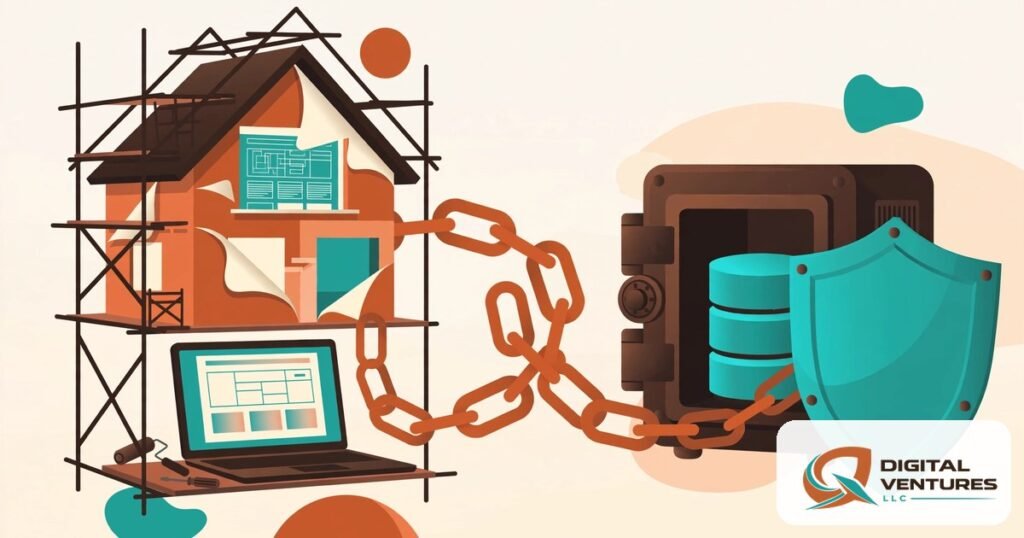
SEO TITLE: WordPress website redesign risks: 7 top proven fixes
META DESCRIPTION: Discover real wordpress website redesign risks — SEO drops, lost data, broken integrations — and proven safeguards protecting rankings, revenue and timelines.
FOCUS KEYWORD: wordpress website redesign risks
WordPress Website Redesign Risks: What Can Go Wrong During Implementation
A website redesign feels like a fresh start — and it can be. But the most expensive wordpress website redesign risks rarely appear on launch day. They surface weeks later, when organic traffic has quietly dropped, when the quote form that fed the sales pipeline turns out to have been broken since go-live, or when a plugin conflict takes the site offline during the busiest week of the year.
This guide maps the wordpress website redesign risks that actually hurt businesses during implementation. Not the vague warnings you see in listicles — the concrete failure points: lost URL equity, deleted content, silent form failures, scope creep that doubles the budget, and security holes opened mid-migration. For each risk, you get the warning signs and the proven fix.
If you are planning a redesign in New Mexico — say, a home-services company in Rio Rancho trying to hold its Albuquerque metro rankings, or a Santa Fe retailer moving to online ordering — these wordpress website redesign risks hit harder, because a local business cannot absorb a two-month traffic dip the way a national brand can. Start with a free website SEO audit to record your baseline rankings and traffic before anything changes; without that baseline, you cannot prove the redesign helped or hurt.
The WordPress Website Redesign Risks That Cost Real Money
Before the seven detailed risks, here is the honest overview: most wordpress website redesign risks fall into three buckets — visibility (SEO), data (content, orders, customer records), and experience (conversion, trust, compliance). The table below ranks the seven risks by how often they occur and how much damage they do when they do.
Our WordPress website redesign process begins with a full content, URL, and integration inventory — before a single pixel is moved. That one step prevents roughly half of the wordpress website redesign risks below, because you cannot protect what you never catalogued.
| Risk | What breaks | Typical business fallout | Prevention priority |
|---|---|---|---|
| SEO rankings collapse | URLs, redirects, metadata | Organic leads dry up for weeks or months | Critical |
| Data loss in migration | Posts, media, orders, users | Irreplaceable content and records gone | Critical |
| Broken integrations | Forms, CRM, payments, booking | Inquiries silently lost; revenue stops | High |
| Worse conversion | Layout, CTAs, trust signals | More traffic, fewer sales calls | High |
| Scope creep | Budget and timeline | Project stalls; costs double | High |
| Security gaps | Permissions, updates, backups | Hacked site; malware cleanup bills | Medium |
| Accessibility regression | Contrast, labels, keyboard nav | ADA complaints; lost customers | Medium |
Notice that the two “critical” wordpress website redesign risks — SEO collapse and data loss — are both invisible at launch. The site looks beautiful. The damage is in the data layer, which is exactly why a redesign needs an implementation plan, not just a design.
WordPress Website Redesign Risks #1: SEO Rankings Drop After Launch
This is the most feared of all wordpress website redesign risks, and the most common. Google has indexed your current URLs, your title tags, your internal link structure, and years of accumulated authority. A redesign that changes URLs without a redirect map tells Google those pages no longer exist — and Google believes it.
The mechanics are well documented: when a page moves to a new URL, a 301 redirect passes most of its ranking equity to the new address. Miss the redirect, and the equity dies with the old URL. Common implementation failures include: changing the permalink structure site-wide, deleting “thin” pages that were actually ranking for long-tail terms, collapsing five service pages into one “services” page, and letting the new theme overwrite custom title tags and meta descriptions with generic defaults. Each one erodes a different pillar of what Google ranks.
Redesign teams also forget the invisible SEO: XML sitemaps that are never resubmitted, robots.txt rules carried over from a staging site that block the whole production domain, schema markup dropped from the old theme, and image alt text lost when media is re-uploaded. Any single one of these wordpress website redesign risks can shave meaningful traffic; together they can halve it.
Proven fixes: Build a complete URL inventory before launch and map every old URL to its new destination — 301 redirects for all of them, no exceptions. Keep your title tags and meta descriptions unless you have a reasoned plan to improve them. Crawl the staging site before launch to catch redirect chains and 404s. On launch day, verify robots.txt allows crawling, submit the new sitemap in Search Console, and monitor index coverage and rankings daily for at least two weeks. Google’s own site-move documentation describes exactly how to handle URL changes without losing search visibility — and it exists precisely because wordpress website redesign risks around URL changes are so common.
WordPress Website Redesign Risks #2: Data Loss During Migration
Among wordpress website redesign risks, data loss is the one with no real recovery path. Rankings can be rebuilt; deleted customer orders, years of blog posts, and media libraries cannot be recreated from memory.
Losses happen in predictable ways: the migration script skips custom post types (testimonials, case studies, portfolio items) because nobody listed them; media files move but their attachment metadata does not, leaving thousands of broken image references; user accounts and roles are recreated by hand and permissions drift; WooCommerce orders and customer records are exported with the wrong date range. The worst cases come from “clean installs” — a developer starts fresh on a blank WordPress and manually copies content over, inevitably leaving things behind.
A Rio Rancho contractor site we can picture clearly: twenty years of project photos, each tied to a neighborhood page that ranks locally. Move the photos without their metadata and captions, and the pages lose the local relevance that made them rank. No stat needed to see the mechanism — the content inventory is what protects it.
Proven fixes: Take a full backup (database plus uploads) immediately before migration and verify you can restore it — an untested backup is a hope, not a plan. Migrate on a staging copy first and diff the content counts: posts, pages, media items, users, orders, and custom post types must match before anything touches production. Keep the old site archived and accessible for at least 60 days after launch. Never let a team do a manual clean-install migration without a line-by-line content checklist signed off by the site owner.
WordPress Website Redesign Risks #3: Broken Integrations and Silent Form Failures
This is the quietest of the wordpress website redesign risks — and often the most expensive. The redesigned site looks perfect, but the contact form submits to a dead email address, the CRM webhook points at a deactivated endpoint, the booking calendar never synced its new API keys, and the payment gateway is still in sandbox mode.
Forms fail silently because redesigns touch everything around them: new themes restyle forms and sometimes replace the form plugin entirely; reCAPTCHA keys are tied to domains and break on staging URLs that get pushed live; notification email addresses belong to former employees; spam filters quietly eat the new notification format. A business can lose six weeks of quote requests before anyone notices the inbox is empty.
The same applies to the integration stack most small businesses run on: email marketing signup forms, live chat widgets, analytics and conversion tracking, call-tracking numbers, and review widgets. Each is a small piece of JavaScript or an API key that the redesign can dislodge — which is why silent integration failures rank among the most underestimated wordpress website redesign risks.
Proven fixes: Inventory every integration before the redesign — every form, webhook, API key, and tracking script — with its owner and its expected behavior. On the staging site, submit every form with test data and confirm the notification arrives, the CRM record is created, and the autoresponder fires. After launch, run the same tests on production within the first hour, then again at 24 hours. Reconnect analytics and verify conversion events fire before you declare the launch complete.
WordPress Website Redesign Risks #4: A Prettier Site That Converts Worse
Not all wordpress website redesign risks are technical. Some are commercial: the new design wins awards and loses customers. This happens when redesign decisions are made for aesthetics instead of evidence — hero sliders replace a clear headline and call-to-action, the phone number moves from the header to the footer, trust signals (reviews, certifications, years in business) are dropped for a “cleaner” look, and the quote form grows from five fields to twelve.
The pattern is recognizable: the design team optimizes for the portfolio screenshot, not for the visitor who arrived with a problem and thirty seconds of patience. Conversion rate is a fragile number. Moving the primary call-to-action below the fold, hiding pricing behind an extra click, or replacing specific headlines (“Albuquerque’s WordPress specialists since 2014”) with generic ones (“We build digital experiences”) can each cost a meaningful share of inquiries.
Compare the before and after honestly with this scorecard:
| Conversion element | Before (old site) | After (redesign) | Verdict |
|---|---|---|---|
| Primary CTA above the fold | Keep or improve | ||
| Phone number in header | Keep or improve | ||
| Trust signals near CTA | Keep or improve | ||
| Form field count | Fewer is better | ||
| Page load speed (mobile) | Faster is better | ||
| Specific, local headline | Keep specificity |
Fill this out during design review, not after launch. Any row where the redesign scores worse is a wordpress website redesign risk you are choosing to accept — make it a conscious choice with a hypothesis, not an accident.
Proven fixes: Freeze the conversion elements that work before redesigning around them. Require every design decision that touches a CTA, form, or trust signal to cite a reason. Run the old and new key pages past five real customers and watch where they hesitate. Measure conversion rate for 30 days before and after; if it drops, roll back the specific change, not the whole design.
WordPress Website Redesign Risks #5: Scope Creep That Doubles Budget and Timeline
Among wordpress website redesign risks, scope creep is the most predictable — and the most preventable. It starts innocently: “while we’re at it, can we add a customer portal?” Then a multilingual version. Then a custom quote calculator. Each addition seems small; together they turn a six-week project into a six-month one, and the original budget into a down payment.
Creep thrives on vague contracts. When the scope document says “modern design” instead of listing exact page templates, every stakeholder has a different definition of done. When revisions are “unlimited,” there is no incentive to decide. And when the redesign is sold as a fixed price with an undefined scope, the vendor either absorbs the extra work (and cuts corners to survive) or bills change orders that sour the relationship.
The hidden cost is not just money — it is the launch that never happens. A redesign stuck in revision fourteen is a site that keeps losing to competitors every week it stays old, while the team burns out and attention drifts.
Proven fixes: Define the scope as a numbered list of deliverables: exact pages, exact templates, exact integrations, exact revision rounds. Put a change-order process in the contract before work starts — every addition gets priced and scheduled separately, no exceptions. Launch in phases: the core marketing site first, the portal and calculator in phase two. Every one of these wordpress website redesign risks compounds when the timeline slips, because a rushed launch skips verification. A phased launch also de-risks every other item on this list, because each phase is smaller and easier to verify.
WordPress Website Redesign Risks #6: Security Gaps Opened Mid-Transition
WordPress sites are most vulnerable during transitions, which makes security one of the overlooked wordpress website redesign risks. Staging sites get indexed or, worse, left publicly accessible with default credentials. File permissions are loosened “temporarily” for the migration and never tightened. Outdated plugins are carried into the new build because “we’ll update after launch.” Admin accounts created for the agency stay active forever.
The migration window is also when backups are most likely to be stale: the team backs up on Monday, migrates on Friday, and four days of orders and comments exist only on the old database. If the cutover goes wrong, there is no clean restore point.
Proven fixes: Password-protect every staging environment and block it from search engines until launch. Follow the principle of least privilege — agency accounts get editor-level access unless they truly need admin, and every temporary account is deleted at handover. Update WordPress core, themes, and plugins on the new build before launch, not after. Take a fresh backup minutes before the DNS cutover, and keep the old site’s backup for 60 days. WordPress’s own documentation covers hardening file permissions — the redesign is the right moment to apply it.
WordPress Website Redesign Risks #7: Accessibility and Compliance Regressions
The final entry in our wordpress website redesign risks list is the one businesses discover via a demand letter. A redesign can quietly strip accessibility features the old site had: alt text dropped from images, form labels replaced with placeholder-only text, color contrast that fails on the new palette, keyboard navigation broken by a fancy menu, and video content launched without captions.
Beyond accessibility, compliance details get lost: privacy policies and cookie notices that reflected the old data practices, terms of service referencing retired offerings, and business licenses or certifications displayed in the footer that the new design “cleaned up.” For New Mexico businesses, the footer details that build local trust — physical address, local phone number, hours — sometimes vanish in the pursuit of minimalism.
Proven fixes: Audit the old site’s accessibility baseline before the redesign (automated scan plus keyboard-only navigation test), then re-run the same audit on staging. Keep every compliance page and legal notice, updated for the new site’s actual practices. Restore the local trust details in the footer on day one — address, phone, hours — because for a local business, those are conversion elements, not decoration. Treat accessibility as a launch gate rather than a backlog item, and these wordpress website redesign risks stay theoretical.
How to De-Risk a WordPress Website Redesign: The Pre-Launch Checklist
If the seven wordpress website redesign risks above feel daunting, here is the good news: they are all preventable with process. Working through these safeguards in order turns wordpress website redesign risks from surprises into checklist items. Run this checklist on every redesign, and the launch becomes boring — which is exactly what you want.
Content and SEO safeguards
- Full URL inventory exported and mapped to new destinations with 301 redirects.
- Title tags, meta descriptions, and header structure reviewed — changed only deliberately.
- XML sitemap regenerated and submitted; robots.txt verified crawlable on production.
- Schema markup, alt text, and internal links carried over or improved.
Data and integration safeguards
- Full backup taken and restore-tested before migration day.
- Content counts matched between old and new: posts, pages, media, users, orders.
- Every form submitted with test data on staging and again on production.
- CRM, email, booking, payment, chat, and analytics integrations verified live.
Launch-day and rollback safeguards
| Safeguard | Which risk it prevents | When to do it | Cost of skipping it |
|---|---|---|---|
| Restore-tested full backup | Data loss | Minutes before cutover | Rebuilding content from scratch |
| Staging-to-production diff | SEO collapse, broken pages | Day before launch | Weeks of lost rankings |
| Redirect map deployment | SEO collapse | At cutover | 404s on every changed URL |
| Form and integration tests | Silent failures | First hour after launch | Lost inquiries you never see |
| 60-day old-site archive | All data risks | After launch | No rollback option |
| 14-day rank/traffic watch | SEO collapse | Two weeks post-launch | Damage discovered too late |
This staged-launch discipline is baked into our web design services, where every redesign ships through a private staging environment first and no launch is declared complete until the checklist is signed off. Dealing with wordpress website redesign risks is not about bravery — it is about boring, repeatable verification.
Frequently Asked Questions
What are the biggest wordpress website redesign risks?
The biggest wordpress website redesign risks are SEO ranking collapse from mishandled URLs and redirects, data loss during migration, silently broken forms and integrations, a new design that converts worse than the old one, scope creep that doubles the budget, security gaps opened mid-transition, and accessibility regressions. SEO collapse and data loss are the most damaging because they are invisible at launch.
How do I protect my SEO during a WordPress redesign?
Inventory every URL, map each old URL to its new destination with a 301 redirect, keep your title tags and meta descriptions unless you are deliberately improving them, verify robots.txt allows crawling on the live domain, submit the new sitemap, and monitor rankings and index coverage daily for two weeks after launch. The single most common failure is changing URLs without redirects.
Should I redesign on a staging site or directly on the live site?
Always on a staging site. Editing the live site directly is one of the most avoidable wordpress website redesign risks: visitors see half-finished pages, a plugin conflict can take down the live site, and there is no clean way to test forms, redirects, and integrations. Build and test everything on staging, then deploy to production in one controlled cutover. A staging workflow eliminates several wordpress website redesign risks at once: broken pages never reach visitors, integrations are tested safely, and rollbacks stay trivial.
How long should I keep the old website after a redesign?
Keep a full backup and an accessible archive of the old site for at least 60 days after launch. That window covers the period when most wordpress website redesign risks surface — ranking shifts, missing content discovered by customers, and integration failures. After 60 days of clean operation, you can retire the archive, but keep the backup indefinitely.
Can a redesign actually improve my rankings?
Yes — if the implementation is disciplined. A redesign that improves page speed, mobile usability, content structure, and internal linking can lift rankings. But improvement is never automatic: every one of the wordpress website redesign risks above has to be managed first. The redesigns that gain traffic are the ones where SEO was a launch requirement, not an afterthought.
Conclusion
WordPress website redesign risks are real, but they are not mysterious. Rankings collapse when URLs change without redirects. Data disappears when migrations skip the inventory step. Forms break silently when nobody tests them. Budgets explode when scope is vague. Every failure on this list has a boring, proven prevention — and the businesses that treat the redesign as an implementation project, not just a design project, come out the other side with a faster, better-converting site and their rankings intact.
Book a real consultation — request a free SEO or website audit and we will benchmark your current rankings, inventory your URLs and integrations, and hand you a de-risked redesign plan before a single page is rebuilt, whether you hire us or not. Prefer to talk it through first? Book a call — and if you would rather carry the project yourself, book a consultation call and we will map these seven risks to your specific site so you know exactly where to be careful.
Internal Link Suggestions
- Our WordPress website redesign process starts with a full content, URL, and integration inventory before design begins.
- See how our web design services handle staged launches with private staging environments.
- Start with a free website SEO audit to record your baseline rankings before anything changes.
- If you’d rather hand this off, book a consultation call and we’ll map the seven risks to your site.
- Related guide: “WordPress Website Redesign Cost in 2026: What Drives the Price”
- Related guide: “How Long Does a WordPress Website Redesign Take? Timelines Explained”
Sources
https://developers.google.com/search/docs/crawling-indexing/site-move-with-url-changes
https://developers.google.com/search/docs/crawling-indexing/301-redirects
https://wordpress.org/documentation/article/upgrading-wordpress-extended/
https://wordpress.org/support/article/changing-file-permissions/
https://wordpress.org/plugins/updraftplus/